1. cmd창을 킨다.
cmd 창에 아래의 것을 순서대로 입력한다.
2. d:
3. cd D:\1900_web_jhj\satellite\vue\web
4. npm install vue
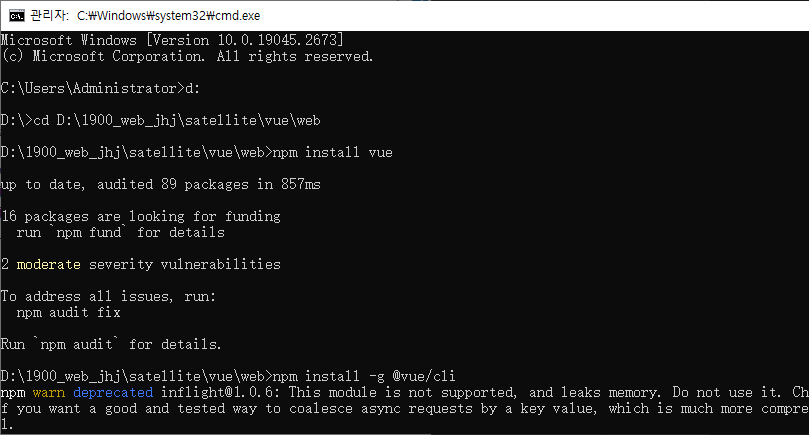
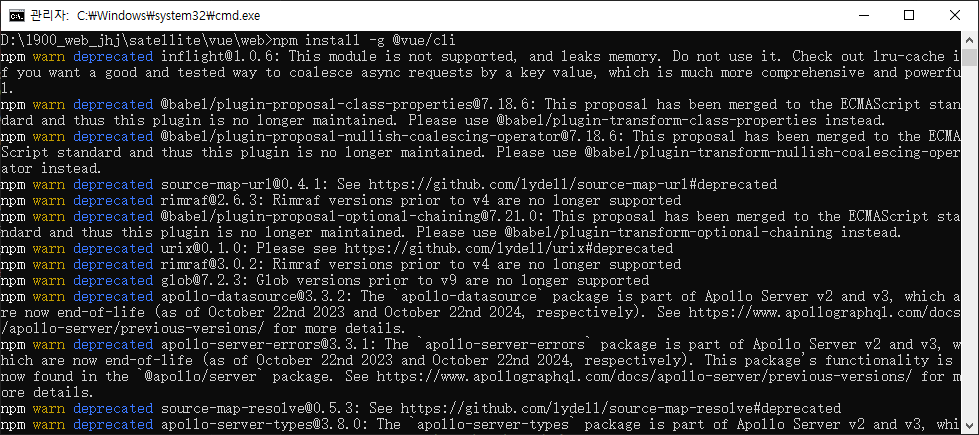
5. npm install -g @vue/cli
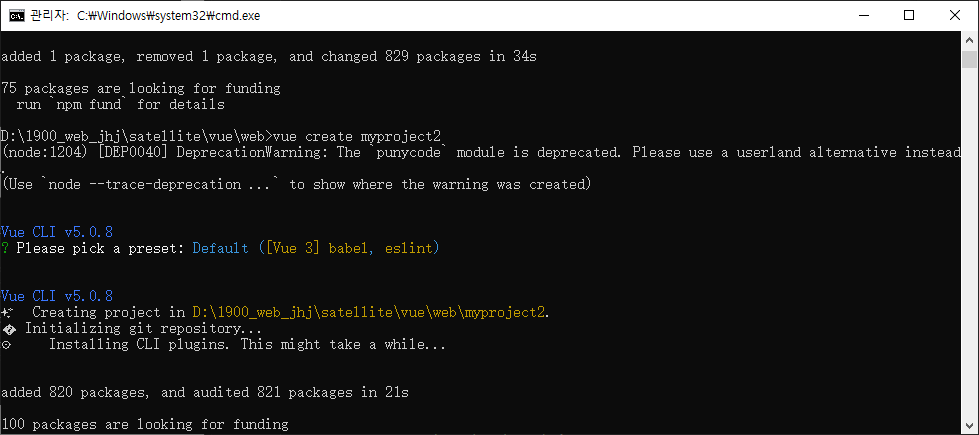
6. vue create myproject2
7.cd myproject2
8.npm run serve

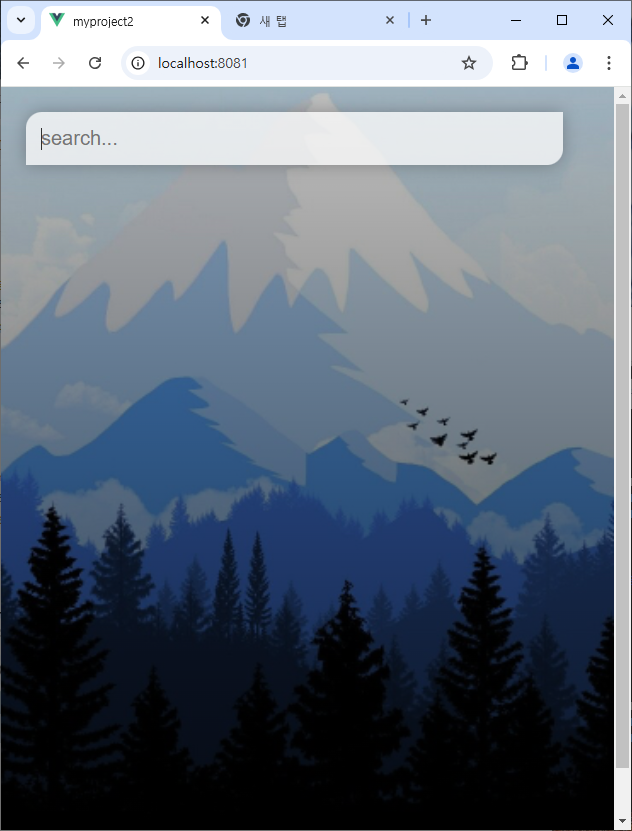
1. 배경 적용 및 검색창 생성
assets에 css 폴더를 생성한 후 style.css를 만든다.
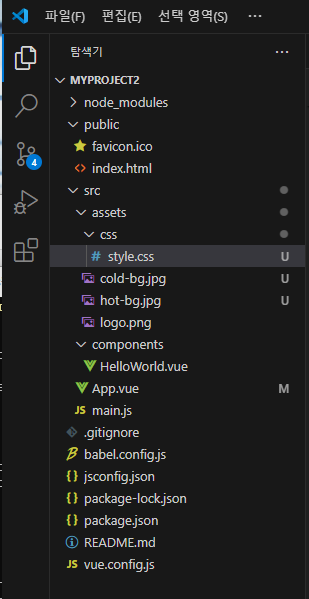
App.vue
<template>
  <div id="app">
    <main>
      <div class="search-box">
        <input type="text" class="search-bar" placeholder="search...">
      </div>
    </main>
  </div>
</template>

<script>

export default {
  name: 'App',
  components: {
  }
}
</script>

<style>
  @import "./assets/css/style.css"
</style>
style.css
#csstext {
    color: white;
    background: black;
}

/* *: 전체 디폴트 설정*/
*{
    margin: 0;
    padding: 0;
    box-sizing: boreder-box;
}

body {
    font-family: 'montserrant', sans-serif;
}

main {
    min-height: 100vh;
    padding: 25px;
    background-image: linear-gradient(to bottom, rgba(0,0,0,0.25), rgba(0,0,0,0.75));
}

#app {
    background-image: url('../cold-bg.jpg');
    background-size: cover;
    background-position: bottom;
    transition: 0.4s;
}

.search-box {
    width:  100%;
    margin-bottom: 30px;

}

.search-box .search-bar {
    display: block;
    width: 90%;
    padding: 15px;

    color: #313131;
    font-size: 20px;
    border: none;
    outline: none;
    background: none;
    box-shadow: 0px 0px 8px rgba(0,0,0,0.25);
    background-color: rgba(255,255,255, 0.5);
    border-radius: 0px 16px 0px 16px;
    transition: 0.4s;
}


/*textbox에 입력할 때*/
.search-box .search-bar:focus {
    box-shadow: 0px 0px 16px rgba(0, 0, 0, 0.25);
    background-color: rgba(255,255,255,0.75);
    border-radius: 16px 0px 16px 0px;
}

App.vue
<template>
  <div id="app">
    <main>
      <div class="weather-wrap">
        <div class="location-box">
          <div class="location">Nordstrom</div>
          <div class="date">Mon 9 Dec 2024</div>
        </div>
        <div class="weather-box">
          <div class="temp">9ºC</div>
          <div class="weather">Cold</div>
        </div>
      </div>
    </main>
  </div>
</template>
style.css
.weather-box {
    text-align: center;
}

.weather-box .temp{
    display: inline-block;
    padding: 10px 25px;
    color: #fff;
    font-size: 102px;
    font-weight: 900;
    font-style: bold;
    text-shadow: 3px 6px rgba(0,0,0,0.25);
    background-color: rgba(255,255,255,0.25);
    border-radius: 16px;
    margin:30px 0px;
    box-shadow: 3px 6px rgba(0,0,0,0.25);
}

.weather-box .weather{
    color: #fff;
    font-size: 48px;
    font-weight: 700;
    font-style: italic;
    text-shadow: 3px 6px rgba(0,0,0,0.25);
}

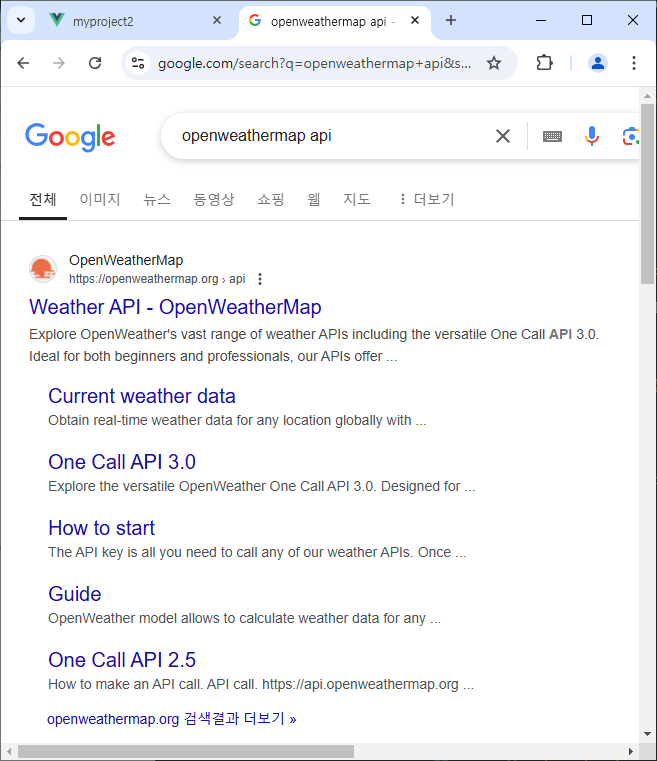
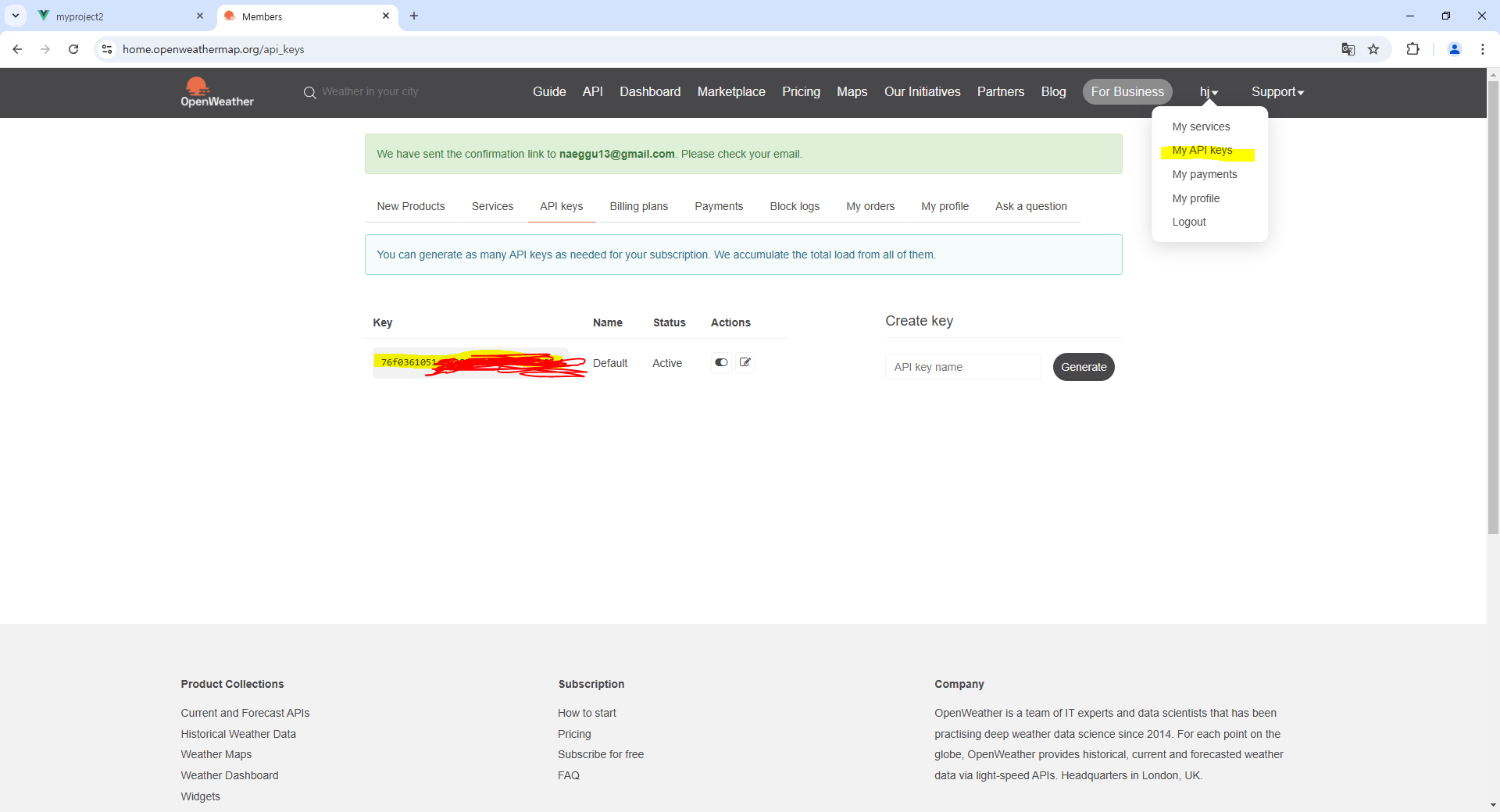
날씨 api : openweathermap api
<template>
  <!--
  <h1>My Art</h1>
  <div id="csstext">CSS Test</div>
  -->
  <div id="app">
    <main>
      <div class="search-box">
        <input type="text" class="search-bar" placeholder="search..."
              v-model="query"
              @keypress="fetchWeather">
      </div>
      <div class="weather-wrap">
        <div class="location-box">
          <div class="location">{{weather.name}}, {{weather.sys? weather.sys.country : ''}} </div>
          <div class="date">{{ new Date() }}</div>
        </div>
        <div class="weather-box">
          <div class="temp">{{weather.main? weather.main.temp : ''}}</div>
          <div class="weather">{{weather.weather? weather.weather[0].main : ''}}</div>
        </div>
      </div>
    </main>
  </div>
</template>

<script>
//import HelloWorld from './components/HelloWorld.vue'

export default {
  name: 'App',
  components: {
  },
  data: function(){
    return{
      api_key: "76f0361051ee9283c295efd4160c162a",
      url_base: "https://api.openweathermap.org/data/2.5/",
      query: "",
      weather: {},
    }
  },
  methods: {
    fetchWeather: function(e){
      if(e.key == "Enter")
      {
        console.log(e);
        console.log("Key In");
        let fetchUrl = `${this.url_base}weather?q=${this.query}&units=metric&APPID=${this.api_key}`; //숫자 1 옆에 있는 ` 을 사용
        //fetch: js 웹 api 내장 함수
        fetch(fetchUrl).then((res)=>{
          console.log(res);
          return res.json();
        })
        .then((results)=>{
          this.weather = results;
          console.log(this.weather);
        });
      }
    }
  }
}
</script>

<style>
  @import "./assets/css/style.css"
</style>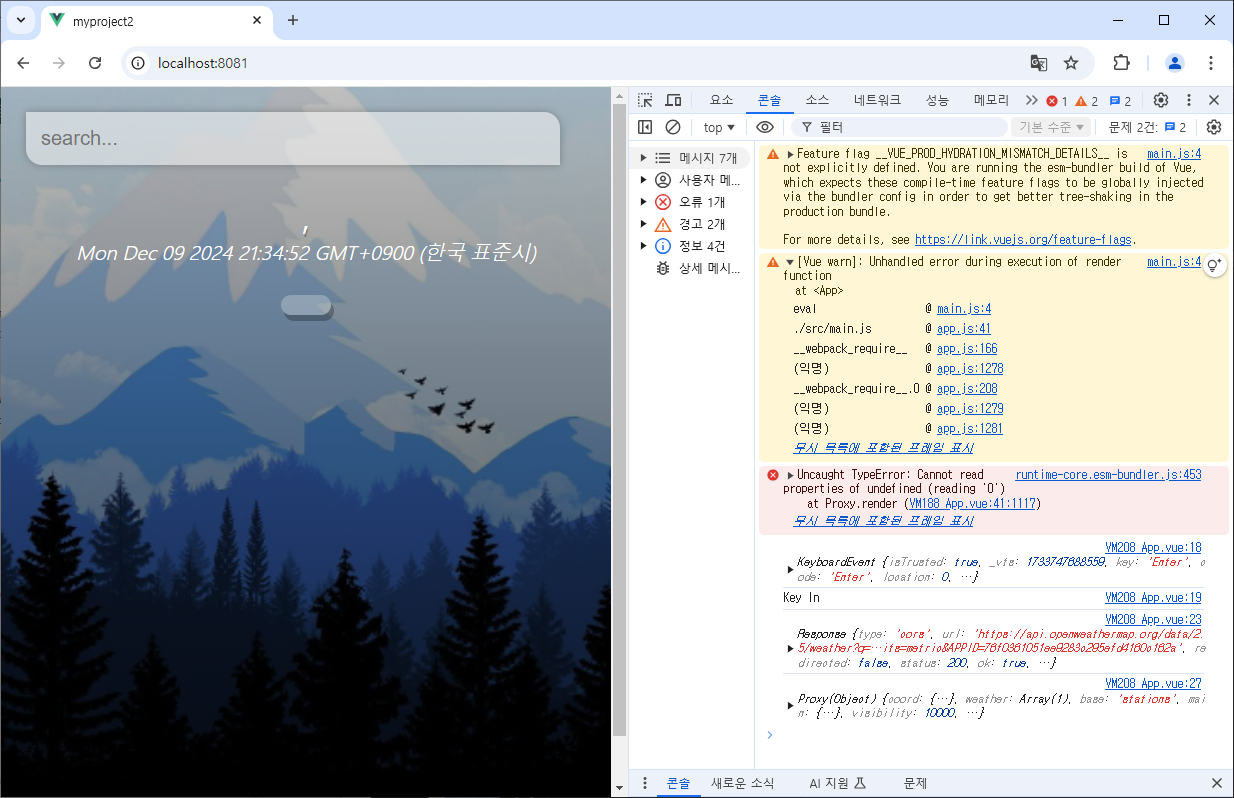
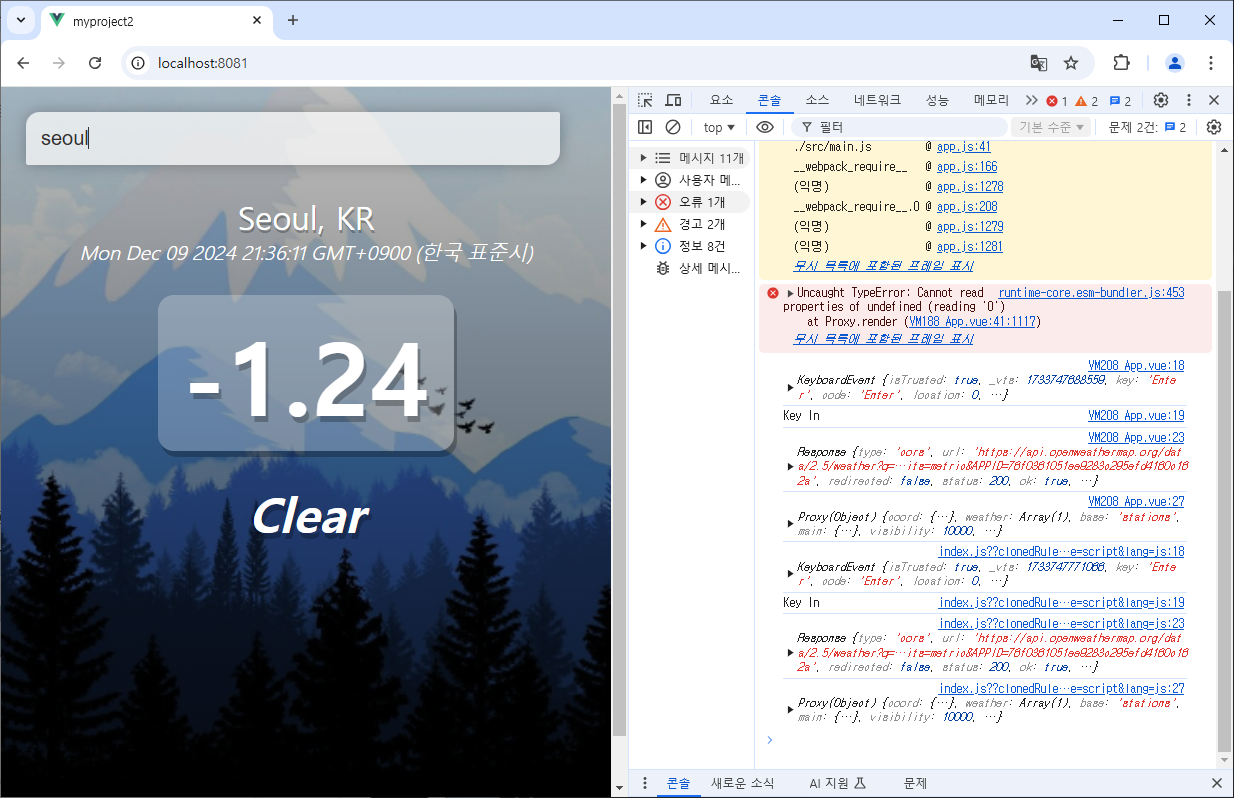
warm 일 때 배경 바꾸기
App.vue
<template>
  <div :id="weather.main && weather.main.temp > 16 ? 'app-warm' : 'app'">
  </div>
</template>
style.css
#app-warm{
    background-image: url('../hot-bg.jpg');
    background-size: cover;
    background-position: bottom;
    transition: 0.4s;
}

전체 코드
App.vue
<template>
  <!--
  <h1>My Art</h1>
  <div id="csstext">CSS Test</div>
  -->
  <!--<div id="app" :class="weather.main && weather.main.temp > 16? 'warm' : '' ">-->
  <div :id="weather.main && weather.main.temp > 16 ? 'app-warm' : 'app'">
    <main>
      <div class="search-box">
        <input type="text" class="search-bar" placeholder="search..."
              v-model="query"
              @keypress="fetchWeather">
      </div>
      <div class="weather-wrap">
        <div class="location-box">
          <div class="location">{{weather.name}}, {{weather.sys? weather.sys.country : ''}} </div>
          <div class="date">{{ new Date() }}</div>
        </div>
        <div class="weather-box">
          <div class="temp">{{weather.main? weather.main.temp : ''}}</div>
          <div class="weather">{{weather.weather? weather.weather[0].main : ''}}</div>
        </div>
      </div>
    </main>
  </div>
</template>

<script>
//import HelloWorld from './components/HelloWorld.vue'

export default {
  name: 'App',
  components: {
  },
  data: function(){
    return{
      api_key: "76f0361051ee9283c295efd4160c162a",
      url_base: "https://api.openweathermap.org/data/2.5/",
      query: "",
      weather: {},
    }
  },
  methods: {
    fetchWeather: function(e){
      if(e.key == "Enter")
      {
        console.log(e);
        console.log("Key In");
        let fetchUrl = `${this.url_base}weather?q=${this.query}&units=metric&APPID=${this.api_key}`; //숫자 1 옆에 있는 ` 을 사용
        //fetch: js 웹 api 내장 함수
        fetch(fetchUrl).then((res)=>{
          console.log(res);
          return res.json();
        })
        .then((results)=>{
          this.weather = results;
          console.log(this.weather);
        });
      }
    }
  }
}
</script>

<style>
  @import "./assets/css/style.css"
</style>
style.css
#csstext {
    color: white;
    background: black;
}

*{
    margin: 0;
    padding: 0;
    box-sizing: border-box;
}

body {
    font-family: 'montserrant', sans-serif;
}

main {
    min-height: 100vh;
    padding: 25px;
    background-image: linear-gradient(to bottom, rgba(0,0,0,0.25), rgba(0,0,0,0.75));
}

#app {
    background-image: url('../cold-bg.jpg');
    background-size: cover;
    background-position: bottom;
    transition: 0.4s;
}

.search-box {
    width:  100%;
    margin-bottom: 30px;

}
.search-box .search-bar {
    display: block;
    width: 90%;
    padding: 15px;

    color: #313131;
    font-size: 20px;
    border: none;
    outline: none;
    background: none;
    box-shadow: 0px 0px 8px rgba(0,0,0,0.25);
    background-color: rgba(255,255,255, 0.5);
    border-radius: 0px 16px 0px 16px;
    transition: 0.4s;
}

/*textbox에 입력할 때*/
.search-box .search-bar:focus {
    box-shadow: 0px 0px 16px rgba(0, 0, 0, 0.25);
    background-color: rgba(255,255,255,0.75);
    border-radius: 16px 0px 16px 0px;
}

.location-box .location{
    color: #fff;
    font-size: 32px;
    font-weight: 500;
    text-align: center;
    text-shadow:  1px 3px rgba(0,0,0,0.25);
}

.location-box .date{
    color: #fff;
    font-size: 20px;
    font-weight: 300;
    font-style: italic;
    text-align: center;
}

.weather-box {
    text-align: center;
}

.weather-box .temp{
    display: inline-block;
    padding: 10px 25px;
    color: #fff;
    font-size: 102px;
    font-weight: 900;
    font-style: bold;
    text-shadow: 3px 6px rgba(0,0,0,0.25);
    background-color: rgba(255,255,255,0.25);
    border-radius: 16px;
    margin:30px 0px;
    box-shadow: 3px 6px rgba(0,0,0,0.25);
}

.weather-box .weather{
    color: #fff;
    font-size: 48px;
    font-weight: 700;
    font-style: italic;
    text-shadow: 3px 6px rgba(0,0,0,0.25);
}

#app-warm{
    background-image: url('../hot-bg.jpg');
    background-size: cover;
    background-position: bottom;
    transition: 0.4s;
}
myproject2 (2).z01
19.53MB
myproject2 (2).zip
15.72MB
'자바 공부 > [자바] 기본 공부' 카테고리의 다른 글
| [SPRING] Lombok 라이브러리 (1) | 2024.12.11 |
|---|---|
| [SPRING] 스프링 프레임워크 기초 (4) | 2024.12.10 |
| [Vue.js] Component(advanced) (0) | 2024.12.05 |
| [Vue.js] Axios (0) | 2024.12.05 |
| [Vue.js] Vue Router (0) | 2024.12.05 |